When your ice maker displays an error code, it’s signaling a specific issue, and understanding these codes can help you quickly diagnose and resolve the problem. Most error codes relate to common categories like water supply, temperature sensors, or ice harvest mechanisms. By following a systematic troubleshooting approach, including power cycling and checking basic components, you can often fix the issue yourself and restore your ice maker’s functionality.
Why Understanding Your Ice Maker Is the First Step
Before we dive into the codes themselves, let’s take a step back. Your ice maker, whether it’s a sleek countertop model or a built-in unit, is a sophisticated piece of refrigeration technology. It’s not just freezing water; it’s managing temperatures, sensing water levels, and harvesting ice on a precise schedule. When you understand that, you realize an error code isn’t just a nuisance—it’s your machine’s way of telling you exactly what’s wrong. Think of it as a cry for help. By learning to interpret these signals, you save yourself time, money, and the headache of a service call.
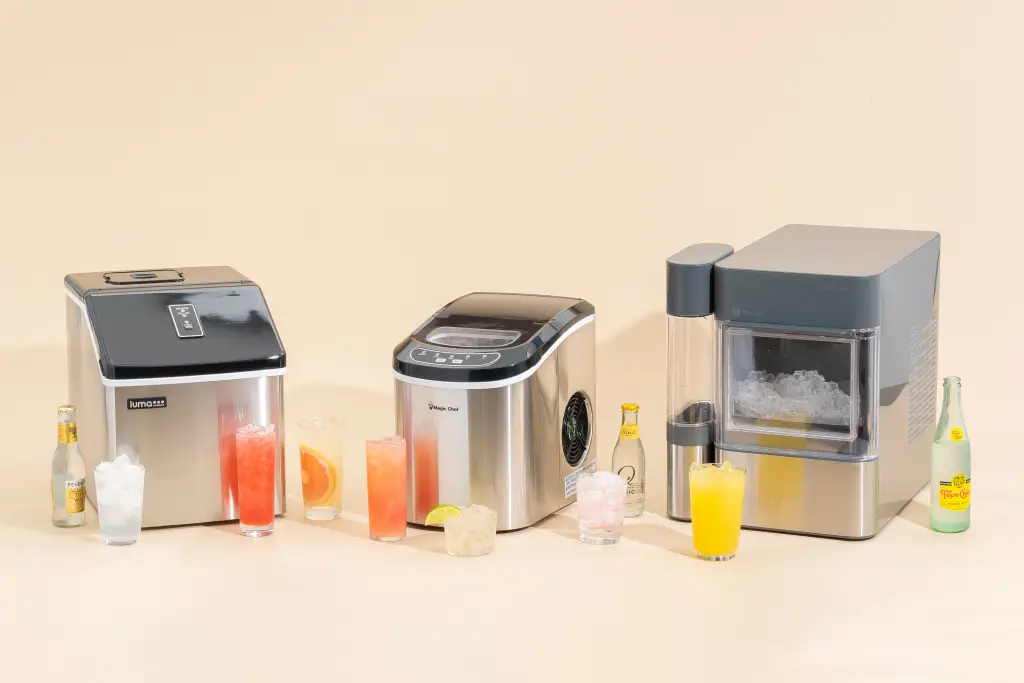
Know Your Machine: Common Ice Maker Types
The first rule of troubleshooting is knowing what you’re working with. An error code on a portable unit often means something very different than the same code on a commercial machine. The solution for one won’t necessarily work for another.
- Portable/Countertop Ice Makers: These are the champs of convenience. You plug them in, add water, and you’ve got ice. Their error codes usually relate to water levels (add water sensor) or a full ice basket.
- Undercounter/Built-in Ice Makers: These are more permanent fixtures, often found in kitchens or home bars. They are plumbed directly into your water supply, so their error codes are more likely to involve water inlet valves, drain pumps, or internal temperature sensors.
- Refrigerator Ice Makers: The most common type, found right in your freezer. These are notorious for issues related to the freezer’s temperature, the water filter, or the ice-ejector arm getting stuck.
Knowing which type you have narrows down the potential problems significantly before you even look up a code.
Decoding the Blinking Lights: How to Troubleshoot Ice Maker Error Codes
Alright, let’s get to the main event. While every brand (like Scotsman, Hoshizaki, GE, or Opal) has its own specific set of codes, they generally fall into a few common categories. This section will give you a universal framework for your investigation.
The Universal First Steps: Your Troubleshooting Checklist
Nine times out of ten, a simple reset or check can solve the problem. Before you start frantically searching for a user manual, run through this list.
- The Power Cycle: The oldest trick in the tech book for a reason. Unplug your ice maker from the wall, wait a full five minutes to let the internal capacitors discharge, and then plug it back in. This simple act can reset the control board and clear a temporary glitch.
- Check the Water Supply: Is the water line connected and the valve fully open? For portable models, is there enough water in the reservoir? A machine can’t make ice without water, and it will definitely throw an error code to let you know.
- Inspect the Ice Bin: Is the bin completely full? Most machines have an infrared sensor or a metal feeler arm to detect when the bin is at capacity. If this sensor is blocked, dirty, or the arm is stuck in the “up” position, the machine will think it’s full and stop producing ice, sometimes with an error.
- Examine for Obstructions: Check for any ice cubes that have gotten jammed in the harvest mechanism. A single stuck cube can bring the entire operation to a halt.
As John Carter, a certified appliance technician with 15 years of experience, often says, “I’d estimate that 40% of my ‘broken ice maker’ calls are solved by either power cycling the unit or clearing a jammed cube. Always check the simple stuff first.”
Common Error Code Categories and Their Meanings
|
Our Picks for the Best Ice Maker in 2026
As an Amazon Associate, we earn from qualifying purchases.
|
||
| Num | Product | Action |
|---|---|---|
| 1 | Silonn Nugget Ice Maker Countertop, Pebble Ice Maker with Soft Chewable Ice, One-Click Operation Ice Machine with Self-Cleaning, 33lbs/24H for Home,Kitchen,Office |

|
| 2 | FRIGIDAIRE EFIC189-Silver Compact Ice Maker, 26 lb per Day, Silver |
|
| 3 | EUHOMY Nugget Ice Maker Countertop with Handle, Ready in 6 Mins, 34lbs Per Day, Removable Top Cover, Auto-Cleaning, Portable Sonic Ice Maker with Basket and Scoop, for Home/Party/RV/Camping (Black) |
|
| 4 | Silonn Ice Makers Countertop, 9 Cubes Ready in 6 Mins, 26lbs in 24Hrs, Self-Cleaning Ice Machine with Ice Scoop and Basket, 2 Sizes of Bullet Ice for Home Kitchen Office Bar Party, Sliver |
|
| 5 | Frigidaire 26 Lbs per Day Portable Compact Maker, Ice Making Machine, Black Stainless, Medium |
|
| 6 | Ice Maker Countertop, 9 Cubes Ready in 6 Mins, 26 lbs per Day, Ice Machine with 2 Ice Sizes and Self-Cleaning, Portable Ice Maker with Handle for Home, Kitchen, Camping, RV, Office, Black |
|
| 7 | Silonn Countertop Ice Maker, 9 Ice Cubes in 6 Mins, 26 Lbs in 24 Hrs, Compact Ice Machine with Ice Basket & Scoop, 2 Ice Sizes, Self-Cleaning Ice Maker for Home/Party/Office/Bar/Dorm, Black |
|
| 8 | FRIGIDAIRE EFIC128AMZBLK Compact Countertop Ice Maker, 26 lb per Day, Black |
|
| 9 | Nugget Ice Maker Countertop, Silonn Chewable Pellet Ice Machine with Self-Cleanin Function, 33lbs/24H Portable Ice Makers for Home Kitchen Officce, Black |
|
| 10 | EUHOMY Nugget Ice Makers Countertop, Pebble Ice Maker Machine with 35lbs/24H Soft Ice, Self-Cleaning Sonic Ice Maker with Ice Scoop&Basket, Pellet Ice Maker for Home/Kitchen/Office(Stainless Steels) |
|
If the basic checks don’t work, it’s time to play detective. Your error code is a clue that points to a specific system. Here are the most common culprits:
- Water-Related Errors (Often “E1”, “E2”, or “Add Water” light): These codes almost always point to an issue with water intake. This could be an empty reservoir, a kinked water line, a clogged filter, or a faulty water inlet valve that isn’t opening properly.
- Temperature Sensor Errors (Often “E3”, “E4”, or blinking temp lights): Your ice maker relies on thermistors (a type of temperature sensor) to know when the water is cold enough to freeze and when the ice is ready to harvest. If one of these sensors fails, the machine gets confused. The error might indicate an ambient temperature issue (the room is too hot or too cold) or a faulty sensor that needs replacing.
- Harvest or Motor Errors (Often “E5”, “E6”, or jamming noises): This category relates to the physical process of ejecting the ice. The cause could be a jammed cube, a motor that has failed, or a sensor that tells the motor when to run.
- Full Bin Sensor Errors (Often “E7”, “E8”, or “Ice Full” light): As mentioned earlier, if the sensor that detects a full bin is dirty or malfunctioning, it will tell the machine to stop making ice, even if the bin is empty. Gently cleaning the infrared sensors with a soft cloth can often fix this.
Where can I find the specific error code for my machine?
Your user manual is the absolute best source for this information. It will have a dedicated troubleshooting section that lists every error code and its specific meaning for your model. If you’ve lost the manual, a quick search online for “[Your Brand and Model Number] error codes” will almost always lead you to a digital PDF version.
Beyond the Codes: Common Issues Without an Error Message
Sometimes, your ice maker won’t give you a code—it’ll just stop working or make bad ice. Here are a few common non-code problems:
- Ice Tastes Bad: This is almost always due to an old water filter or the need for a thorough cleaning to remove mineral buildup. Check out our guide on how to clean your ice maker for a step-by-step process.
- Small or Hollow Cubes: This is a classic sign of a restricted water supply. Check for a clogged water filter or a partially closed valve on the supply line.
- Leaking Water: This can range from a simple loose connection at the back of the machine to a more serious crack in the water reservoir or a failed internal component.
Preventive Maintenance: The Best Way to Avoid Error Codes
The best way to troubleshoot error codes is to prevent them from ever happening. Regular maintenance is key to a long and happy life for your ice maker.
- Clean it Regularly: At least once every 3-6 months, perform a full cleaning cycle using an approved ice machine cleaner to remove scale and mineral buildup.
- Change the Water Filter: If your model has one, follow the manufacturer’s recommendation for filter changes (usually every 6 months).
- Wipe Down Sensors: Gently wipe the ice level sensors with a soft, damp cloth to ensure they can get an accurate reading.
- Ensure Proper Airflow: For units with fans, make sure the vents are not blocked. Proper ventilation is crucial for the refrigeration system to work efficiently.
Frequently Asked Questions (FAQ)
Q: What is the most common error code on an ice maker?
A: Water supply errors are by far the most common. These are typically indicated by an “Add Water” light or an “E1” / “E2” code, signaling that the machine isn’t getting the water it needs to begin the ice-making cycle.
Q: How do I perform a hard reset on my ice maker?
A: A hard reset usually involves unplugging the unit from the power source for at least 5-10 minutes. For some built-in or refrigerator models, you may need to flip the corresponding circuit breaker off for the same amount of time. Always consult your manual for model-specific reset procedures.
Q: Why is my “Ice Full” light on when the bin is empty?
A: This is typically caused by a dirty or faulty ice level sensor. The sensor, often an infrared beam or a metal feeler arm, is being tricked into thinking ice is present. Try cleaning the sensors first. If that doesn’t work, the sensor may need to be replaced.
Q: Can I fix an ice maker error code myself?
A: Many common error codes related to water supply, cleaning, or simple jams can be fixed by the user with basic troubleshooting. However, errors pointing to failed motors, compressors, or internal sensors may require a professional technician.
Q: Why is my portable ice maker beeping constantly?
A: Constant beeping on a portable unit is almost always an alert. It typically means the water reservoir is empty, the ice basket is full, or an ice cube has become jammed in the harvest mechanism, preventing it from completing a cycle.
Conclusion
Facing a machine that’s on the fritz can be daunting, but with a little knowledge, you can become your own first line of defense. Understanding how to troubleshoot ice maker error codes starts with knowing your machine, checking the basics, and using a systematic approach to narrow down the problem. By following the steps outlined here, you can solve many common issues yourself, ensuring you’re never without fresh ice when you need it most. So next time a light starts blinking, take a deep breath—you’ve got this.
How to Troubleshoot Ice Maker Error Codes
Follow these universal first steps to diagnose and resolve common ice maker error codes, potentially saving you a service call.
Unplug your ice maker from the wall outlet. Wait a full five minutes to allow internal capacitors to discharge completely. Then, plug the unit back in to reset the control board and clear any temporary glitches.
Verify that the water line is securely connected and the water valve is fully open. For portable models, ensure the water reservoir contains enough water. An insufficient water supply is a common cause for error codes.
Examine the ice bin to see if it's completely full. Most machines use an infrared sensor or a metal feeler arm to detect capacity. If this sensor is blocked, dirty, or the arm is stuck, the machine will stop producing ice and may display an error.
Look for any ice cubes that might be jammed in the harvest mechanism. Even a single stuck cube can prevent the ice maker from operating correctly and trigger an error code.
Get our weekly buyer guide
Practical specs, not advice. Unsubscribe anytime.
My commercial ice machine at the restaurant has been giving me trouble with the ice harvest mechanism. I tried the power cycling and checking for obstructions as suggested, but it didn’t quite fix the issue. It helped me narrow down the problem, but I think I’ll still need to call a professional for this one. Good starting point though.
Fantastic guide! My outdoor ice maker started flashing an ‘E2’ code, which I learned from here was likely a temperature issue. I cleaned the condenser coils, which were pretty dusty, and made sure there was good airflow around the unit. It’s been running flawlessly ever since. Really appreciate the systematic troubleshooting approach.
This was super helpful for my portable ice maker. I kept getting a ‘low water’ error even when the reservoir was full. The tip about checking the temperature sensors and making sure they weren’t iced over was exactly what I needed. A quick defrost and it’s working perfectly again. Wish it had a bit more detail on specific sensor locations, but still very useful.
I was getting a persistent ‘E4’ error on my under-counter ice maker, and I was ready to call a technician. Following the advice here about checking the water supply line and the inlet valve, I found a kink in the hose. Straightened it out, power cycled the unit, and boom! Ice production is back to normal. Saved me a service call for sure.